
Instructor guide
Set up a classroom newsroom, release stories on a schedule and review the editorial decisions students made. This guide follows the instructor view in NewsroomSim Core 2.7.2.
Run your first lesson
- Choose a lessonStart with a task students can finish within the time you have.
- Build the exercisePick a duration, select sources and choose stories for your class.
- Rehearse and set a start timeCheck what appears and when, then prepare the content.
- Give students accessShare the newsroom link and password. Decide how students will hand in their work.
Find your way around the dashboard
Sign in to the WordPress site supplied by your administrator. With the NewsroomSim Instructor role, you land on Instructor dashboard. Use Start here to open the wizard or the first session guide. Current exercise shows when the sources open, when the live round starts and ends, and where students go.
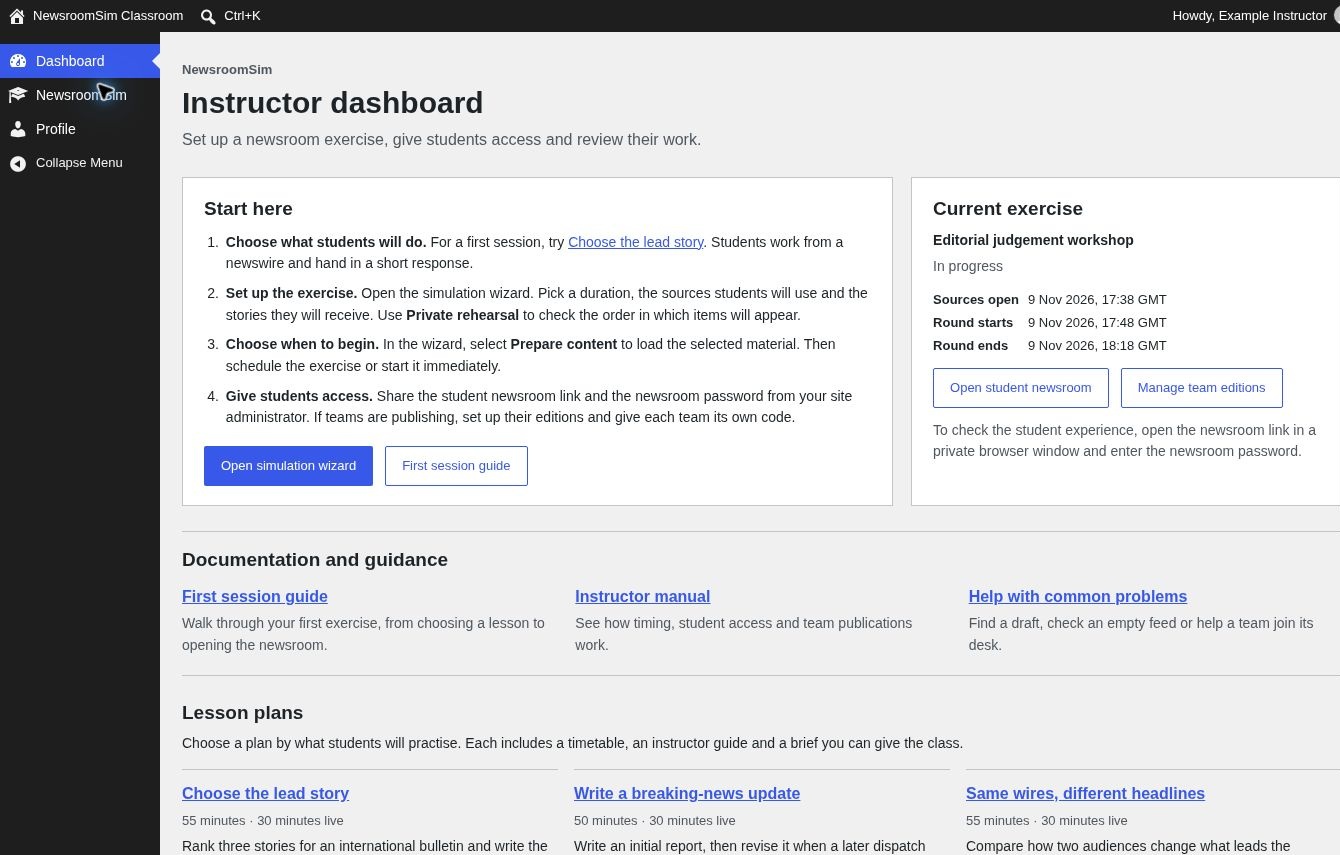
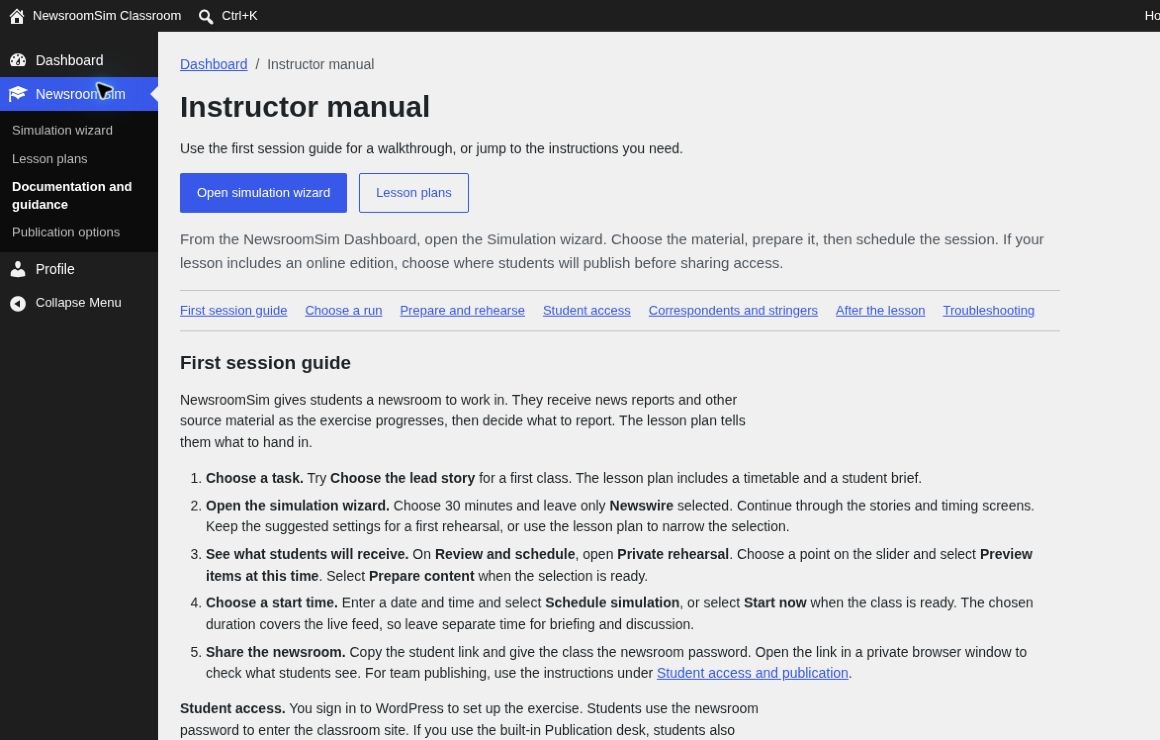
The NewsroomSim menu gives you the wizard, lesson plans, documentation and publication options. Use Documentation and guidance to open the manual inside WordPress.
What you need from your administrator
- Your WordPress sign-in and the classroom site address.
- An installed Story Pack. This supplies the stories, images, posts and inbox messages.
- The shared newsroom password to give to students.
One newsroom per site. A second run takes over the same student newsroom. Arrange a separate installation if two classes need independent schedules at the same time.